Choosing between GoDaddy Website Builder vs WordPress is one of the first big decisions you’ll make when launching an online business in 2026. Both platforms promise an easy path to getting your site live, but they take wildly different approaches — one is a closed, drag-and-drop system designed for speed, while the other is the open-source powerhouse behind 43% of the web. In this friendly, no-fluff guide, we’ll break down which platform actually wins for blogs, eCommerce stores, and growing brands.
Key Takeaways
- GoDaddy Website Builder is fastest to launch but limits design, SEO, and scalability long-term.
- WordPress offers unlimited flexibility, better SEO tools, and true content ownership.
- For serious eCommerce, WordPress with WooCommerce beats GoDaddy Commerce on every metric.
- Total cost of WordPress is often lower over 2–3 years despite a steeper learning curve.
- Choose GoDaddy for a simple brochure site; choose WordPress for any business built to grow.
Table of Contents
- Quick Overview: GoDaddy Website Builder vs WordPress
- Ease of Use for Beginners
- Design Flexibility and Themes
- Pricing and Total Cost of Ownership
- SEO and Marketing Tools
- eCommerce Capabilities
- Scalability and Long-Term Growth
- The Final Verdict
- FAQ
Quick Overview: GoDaddy Website Builder vs WordPress
Before we dive deep into the GoDaddy Website Builder vs WordPress debate, let’s get clear on what each platform actually is. GoDaddy Website Builder (sometimes called “Websites + Marketing”) is a hosted, all-in-one site builder. You pay one monthly fee and get hosting, a domain, templates, and a drag-and-drop editor bundled together.
WordPress, by contrast, comes in two flavors: WordPress.com (hosted) and WordPress.org (self-hosted and open source). When most professionals say “WordPress,” they mean WordPress.org — the free, install-anywhere CMS that powers everything from solo blogs to enterprise stores. You can read the official documentation at WordPress.org to see the full ecosystem.
For a deeper side-by-side at the builder level, check out our dedicated GoDaddy vs WordPress comparison.
Who Each Platform Is Built For
- GoDaddy Website Builder: Solo entrepreneurs, local service businesses, and hobbyists who want a simple online presence in a weekend.
- WordPress: Bloggers, content creators, SEO-focused brands, agencies, and anyone planning a real eCommerce store via WooCommerce.
Ease of Use for Beginners
If “easy” is your top priority, GoDaddy wins the first round. Its wizard-style setup asks you a few questions about your business and generates a starter site in minutes. The drag-and-drop editor is forgiving, and there’s almost nothing to break.
WordPress has a steeper learning curve, but it’s much friendlier than it used to be. The Gutenberg block editor feels closer to Notion or Canva than the old WordPress dashboard. If you’re brand new, our step-by-step WordPress beginner roadmap will get you productive in a few hours.
Learning Curve Comparison
- GoDaddy: Live site in 1–2 hours, minimal decisions needed.
- WordPress: Live site in 4–8 hours, but you gain skills that transfer to any project.
Want a structured path? Our list of the 10 best WordPress courses in 2026 covers free and paid options for every skill level.
Design Flexibility and Themes
GoDaddy offers around 100+ templates, all tidy and mobile-responsive. The catch? Customization is limited to what the editor exposes — you can’t add custom code, install third-party themes, or radically restructure layouts.
WordPress is the opposite. With over 11,000 free themes in the official directory and thousands more on marketplaces like ThemeForest, plus full access to HTML, CSS, and PHP, your design ceiling is essentially unlimited. Modern block themes also let non-coders restyle entire sites visually.
Pricing and Total Cost of Ownership
This is where the GoDaddy Website Builder vs WordPress conversation gets interesting.
GoDaddy Pricing (2026)
- Basic: ~$10/month
- Premium: ~$15/month
- Commerce: ~$20–25/month
Predictable, but you’re renting everything. Cancel, and your site is gone.
WordPress Pricing (2026)
- Software: Free
- Hosting: $3–$30/month (SiteGround, Kinsta, Hostinger, etc.)
- Domain: $10–$15/year
- Premium theme (optional): $40–$80 one-time
- Premium plugins (optional): $0–$200/year
You can run a professional WordPress site for under $5/month, or scale up as your traffic grows. You also own everything — files, database, content.
SEO and Marketing Tools
SEO is where GoDaddy starts to feel limiting. You get basic title and meta controls, but you can’t deeply customize schema markup, control crawl behavior, or integrate advanced tools.

WordPress dominates here. Plugins like Yoast SEO and Rank Math give you enterprise-level control: schema, breadcrumbs, sitemaps, redirects, internal linking suggestions, and content analysis. Combined with fast hosting, WordPress sites consistently rank better in competitive niches.
If you’re serious about long-term traffic, also read Is WordPress Still Worth It in 2026? for a full industry breakdown.
eCommerce Capabilities
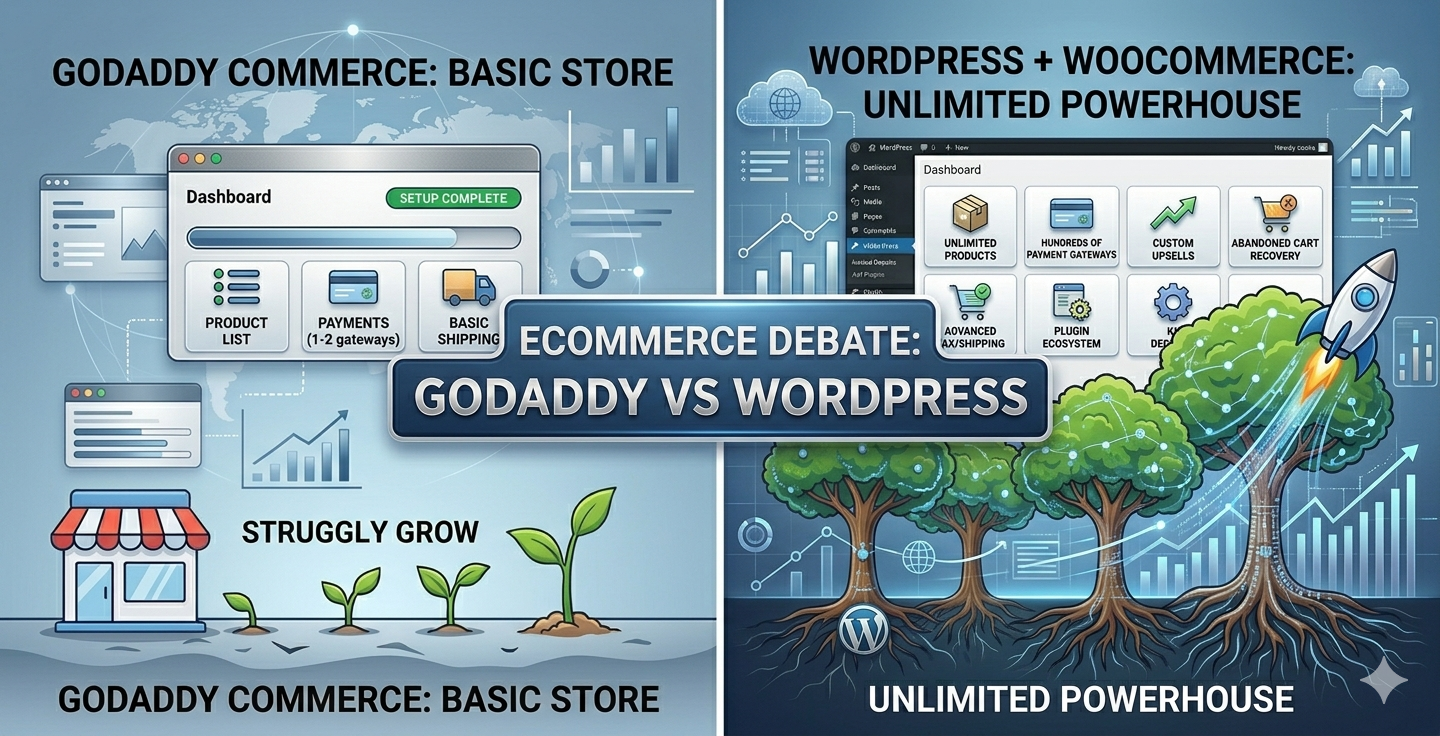
GoDaddy’s Commerce plan supports basic stores — products, payments, shipping, and a few marketplace integrations. It’s fine for selling a handful of items, but it lacks advanced features like dynamic upsells, custom product bundles, subscription billing, or deep checkout customization.
WordPress, paired with WooCommerce, is in a different league. According to W3Techs usage data, WooCommerce powers a massive share of online stores worldwide — and for good reason. You get:
- Unlimited products and variations
- Hundreds of payment gateways
- Full control over checkout, taxes, and shipping
- Advanced features like custom related products, upsells, and abandoned cart recovery
If you’re building a store, our Ultimate WooCommerce Course for Beginners is the fastest way to get up to speed. And to boost average order value, don’t miss our guide on related products in WooCommerce and the best WooCommerce plugins for high conversions.
Scalability and Long-Term Growth
This is the biggest gap in the GoDaddy Website Builder vs WordPress matchup. GoDaddy is great for a single brochure site, but if your business takes off, you’ll hit walls — no custom integrations, no migration path that preserves your design, and limited reporting.
WordPress scales from a blog to a million-visitor publication or seven-figure store on the same codebase. You can change hosts, themes, and even rebuild your store without losing content. Brands like Sony Music, TechCrunch, and countless eCommerce stores run on WordPress for exactly this reason.
The Final Verdict
Here’s the honest 2026 recommendation:
- Choose GoDaddy Website Builder if you want a tiny brochure site for a local business, you’ll never sell more than a few products, and you value simplicity over flexibility.
- Choose WordPress if you care about SEO, plan to scale, want to own your content, or are building a real eCommerce store.
For 95% of readers asking about GoDaddy Website Builder vs WordPress, WordPress is the smarter long-term bet — even if it takes an extra weekend to learn.
Frequently Asked Questions
Is GoDaddy Website Builder cheaper than WordPress?
Upfront, yes — GoDaddy bundles hosting and domain for around $10/month. But over 2–3 years, a self-hosted WordPress site typically costs less and gives you far more value.
Can I move my GoDaddy site to WordPress later?
You can move your domain and content, but not the design or layout — GoDaddy uses a proprietary system. Most users end up rebuilding from scratch, which is why starting on WordPress saves time long-term.
Which is better for SEO, GoDaddy or WordPress?
WordPress is significantly better for SEO. With plugins like Yoast and Rank Math, plus full control over technical SEO, WordPress sites consistently outperform GoDaddy builder sites in organic search.
Can I run a serious online store on GoDaddy Website Builder?
You can sell products, but for any real eCommerce business, WordPress with WooCommerce is the industry standard. It offers more payment options, customization, and growth potential.
Do I need to know coding to use WordPress in 2026?
No. The block editor and modern themes let you build professional sites without code. Coding is only needed for deep custom development, and most users never touch a line of PHP.